
Watchstander Surface Warfare Officer Training Simulator

You’re on the bridge of a simulated cruiser with traffic on the horizon. Take the helm, follow the route and decide when to maneuver as the watch unfolds.
Windows PC · Steam Early Access · Released August 12, 2025


Find your bearings
Start in Free Roam and give a few helm and engine orders to see how the ship responds. When you’re ready for a scored watch, follow a route while keeping an eye on traffic. If you want to work on a specific situation, open a Rules of the Road scenario and start from its briefing.
The simulator also includes Rules of the Road exams. For focused study and practice, explore CORTA.
A watch from the bridge
Take the helm from the wheelhouse, or step onto a bridge wing for a better view. When a contact appears, compare what you can see outside with the bearing, range and closest point of approach on radar.


Stay on the route
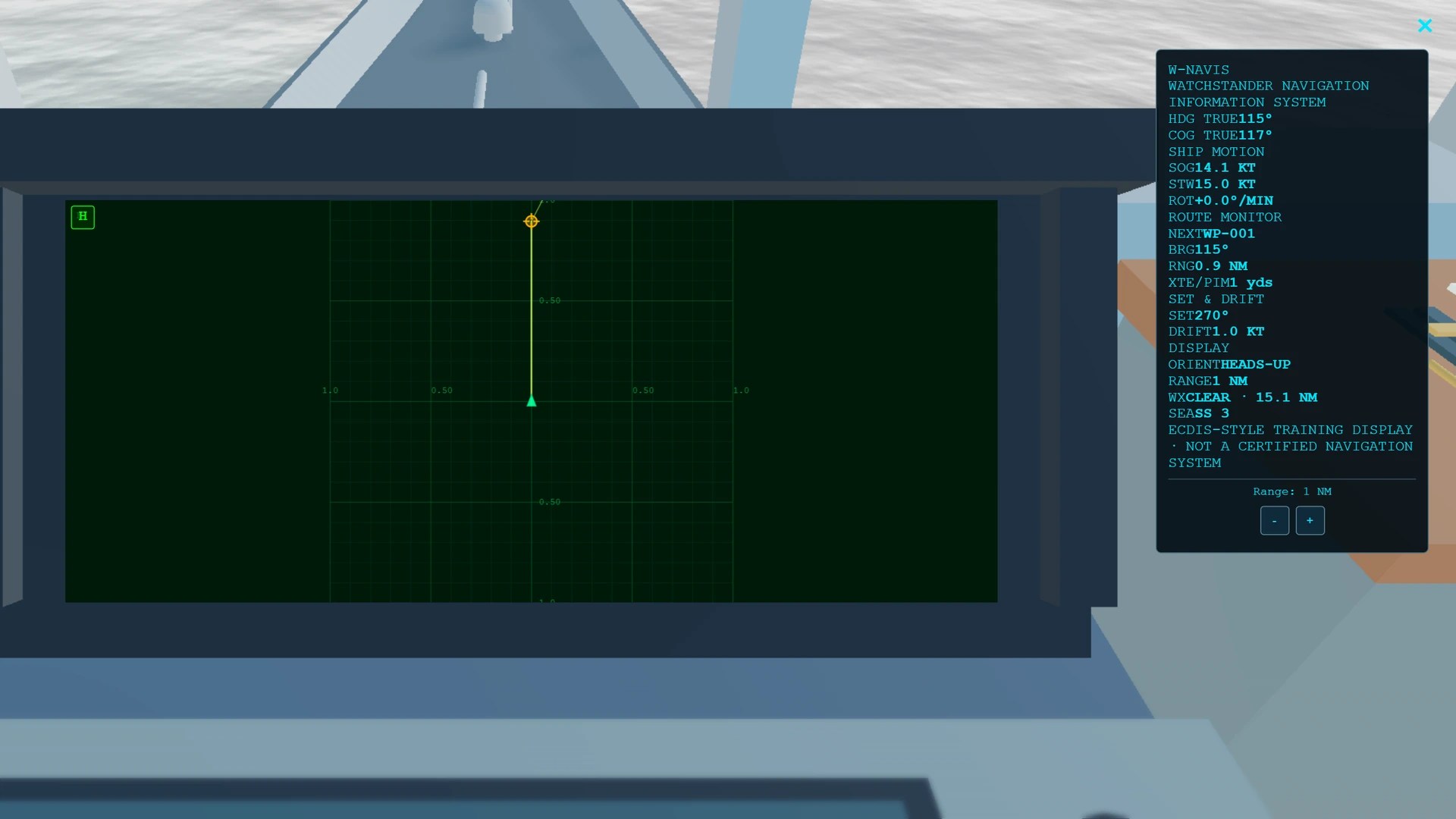
The NAV station shows the next waypoint and how far you’ve strayed from the planned track. Adjust course or speed and watch how the cruiser responds.

Make the call, then review it
In a head-on encounter, the situation keeps developing while you decide how to respond. At the end of a scored Bridge Watch, review the distance traveled, waypoints reached and the commanding officer’s trust in your performance.


Development screenshots. Select an image to open the larger view.
Stand a watch at any hour
Take the midwatch, relieve the watch at dawn or try the same route in daylight. Your log tracks completed and qualifying watches. In the underway replenishment drill, you’ll use the distance flags from the starboard bridge wing as you match course and speed with the supply ship.


Development screenshots. Select an image to open the larger view.
Aboard the cruiser
The ship you’ll handle is a simulated Ticonderoga-class cruiser. In Free Roam, give an engine order and watch the wake build. Then try the same turn at a different speed to see how the ship feels at the helm.

Gameplay trailer
Follow development
Watchstander is in Steam Early Access. The Steam release notes cover the latest changes to the bridge and training drills.